
It’s 10 PM on a Friday, the big PBA game is about to start, and you reach for your phone to place a bet. The last thing you need is a frustrating login issue. Getting your taya365365.com session started should be fast and free of any drama. Our team has analyzed the entire TAYA365 login process to create this clear-cut guide. This page details the exact steps, requirements, and security protocols designed to protect your account and your PHP balance every time you sign in.
Step-by-step process to complete your TAYA365 Login securely
Accessing your account is designed to be straightforward, whether you’re on a laptop at home or using your mobile data on the go. The system prioritizes security without adding unnecessary complexity. Follow these practical steps to ensure a smooth sign-in every time.
- Navigate to the Official Site: Open your web browser and manually type in the official address: taya365365.com. Avoid using search engine links or saved links from unverified sources, as this is the single best way to prevent phishing attempts.
- Locate the Login Area: On the homepage, the login fields are prominently displayed, usually at the top right corner of the screen. You will see fields for your “Username” and “Password”.
- Enter Your Credentials: Carefully type your registered username and password. These fields are case-sensitive, so ensure your Caps Lock is off unless it’s part of your password. Common errors happen here, so double-check for typos.
- Enter Verification Code (if applicable): Some logins may require a simple verification code displayed as an image. This is a basic anti-bot measure. Just type the numbers you see into the corresponding box.
- Complete Two-Factor Authentication (2FA): If you have 2FA enabled on your account (which our security team highly recommends), you will be prompted to enter a 6-digit code from your authenticator app (like Google Authenticator) after submitting your password.
- Click the “Login” Button: Once all information is entered correctly, click the final login button. Your account dashboard should load within seconds, giving you full access to sports betting markets, casino games, and your account wallet.
If you have forgotten your password, do not attempt to guess it repeatedly. Instead, use the “Forgot Password?” link located near the login button to initiate a secure reset process. This prevents your account from being temporarily locked due to too many failed attempts.
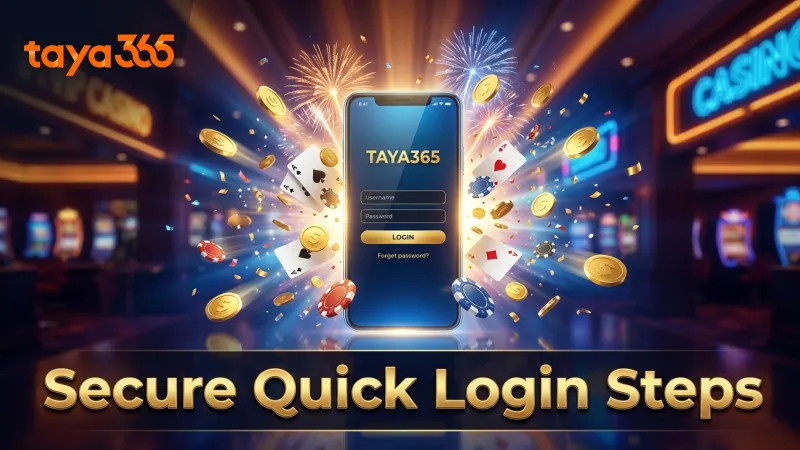
Secure login steps ensure quick account access
Understanding login requirements, session limits, and access fees
There are no fees associated with logging into your account. The platform’s architecture is built on standard web protocols, focusing on accessibility and security. However, knowing the technical requirements helps prevent common issues before they happen. Your access depends on your device, your browser, and the credentials you’ve set up.
Supported browsers and device compatibility
The TAYA365 platform is optimized for modern web browsers to ensure all security features and game functionalities run correctly. Our team’s testing confirms smooth performance and correct session handling on the latest versions of these major browsers:
- Google Chrome (recommended for both desktop and Android)
- Safari (recommended for iOS and macOS devices)
- Mozilla Firefox
- Microsoft Edge
Using a very old or unsupported browser is a significant security risk. Obsolete software may lack critical security patches, making your device vulnerable and potentially exposing your login details. If you encounter rendering issues or slow loading times, the first troubleshooting step is always to update your browser to its latest version. The platform is fully responsive, meaning it will adapt to any screen size, from a large desktop monitor to a standard smartphone screen, without needing a separate app.
Minimum password criteria and verification methods
Your password is the primary key to your account and the funds within it. TAYA365 enforces minimum complexity requirements to protect you from brute-force attacks. A legit, strong password acts as the first line of defense for your e-wallet balance.
Here are the practical criteria for setting a secure password:
| Password Requirement | Why It Matters (From a Security Perspective) |
|---|---|
| Length of 8-20 Characters | Longer passwords exponentially increase the time and computing power needed to crack them. Eight characters is the absolute minimum. |
| Mix of Letters and Numbers | This expands the character set, making dictionary attacks (which use common words) and brute-force guessing much less effective. |
| No Special Characters Allowed | The system is standardized to use only letters and numbers. This prevents encoding issues across different platforms and devices. |
For verification, the most powerful tool available is Two-Factor Authentication (2FA). When you enable 2FA, even if someone steals your password, they cannot log in without the physical possession of your phone to get the time-sensitive code. The small “cost” of spending five extra seconds during login pays massive dividends in protecting your account from unauthorized cash-out attempts.
TAYA365 Login limits and browser compatibility explained
Common login errors and precise troubleshooting solutions
Even with a tested system, user-side errors can occur. Most are simple to fix once you understand the cause. Panicking is the worst response; systematically checking for the root cause is the pro-level move. Here, we’ll debunk common myths and provide clear-cut facts for solving the most frequent login problems.
Handling incorrect credentials and account lockouts
Myth: “I entered the wrong password a few times, and now my account is blocked forever!”
Fact: Your account is not blocked forever; it is temporarily locked as a protective measure. After approximately five consecutive failed login attempts, the system will lock your account for a short “cooldown” period, typically around 15-30 minutes. This is a standard security feature to thwart automated bots trying to guess your password. Do not keep trying to log in during this period, as it may reset the timer. The best course of action is to wait for the cooldown to expire or, if you’ve forgotten the password, use the “Forgot Password?” link immediately to start the reset process via your registered email or phone.
Resolving two-factor authentication issues
Myth: “My 2FA code is not working, so I’m locked out permanently.”
Fact: 2FA codes are time-sensitive and rely on synchronized clocks between your phone and the server. The most common issue is a “time drift” on your device. Go into your phone’s settings and ensure the date and time are set to “Automatic.” In Google Authenticator, there is also a “Time correction for codes” setting to re-sync. If you lose the device with your authenticator app, you will need to contact customer support. They will guide you through a verification process to prove your identity before they can disable 2FA on your account, allowing you to log in and set it up on a new device. This process is deliberate and secure to prevent an unauthorized person from disabling your account’s best protection.
Security measures and anti-phishing practices at TAYA365
Protecting your account is a shared responsibility. While the platform provides the secure infrastructure, your habits play a huge role in keeping your information and funds safe. Understanding the built-in protections and adopting safe practices is non-negotiable for any serious player.
Recognizing official taya365365.com links and HTTPS indicators
The single biggest threat to your account is phishing. This is when a scammer creates a fake website that looks identical to the real TAYA365 site to trick you into entering your username and password. The most effective defense is simple: always manually type taya365365.com into your browser’s address bar. Do not click links from suspicious emails, SMS messages, or social media posts claiming to be from TAYA365. Before entering any details, check the address bar for two things:
- The URL must exactly match the official domain.
- There must be a padlock icon (🔒) to the left of the URL. This indicates a secure HTTPS connection, which encrypts the data sent between your browser and the server, including your password.
This simple check costs nothing and takes two seconds, but it is your main defense against losing your credentials.
Password reset protocols and secure session management
The password reset process is a critical security feature. When you request a reset, the system will never email your old password to you. Instead, it sends a unique, one-time-use link to your registered email or a code to your phone. Clicking this link allows you to set a brand new password. This protocol ensures that only the person with access to your registered email/phone can change the password. To ensure full TAYA365 Login access security, it’s also vital to practice good session management. Always click the “Logout” button when you are finished with your session, especially when using a shared or public computer. This terminates the session server-side, preventing anyone else from accessing your account from that browser.
Anti-phishing features protect TAYA365 users’ accounts
Contacting TAYA365 support for login assistance and advice
If you have tried the troubleshooting steps and still cannot access your account, the dedicated support team is available to assist. They are trained to handle login-related issues securely and efficiently, but knowing which channel to use can save you time.
24/7 live chat, email, and hotline support options
For immediate, urgent issues like a suspected account breach or being locked out right before a major event, Live Chat is your best option. It provides real-time communication with a support agent. You can typically find the Live Chat icon on the main site. For less urgent matters that may require you to send documents (like for identity verification during a 2FA reset), using the official support email is more practical. This creates a documented ticket of your request. While phone support might be available, Live Chat often resolves issues faster as agents can look up your account details while communicating with you.
Responsible login habits to protect your account
Beyond troubleshooting, developing good habits is key to a safe and enjoyable experience. Treat your login credentials with the same care as your bank account details.
- Never share your password. No support agent will ever ask for your password.
- Avoid public Wi-Fi. Do not log into your account on unsecured public Wi-Fi networks (like in cafes or airports). Use your phone’s mobile data instead.
- Set personal limits. Responsible gaming starts with managing your bankroll. Only play with funds you are prepared to lose, and never chase losses. All PAGCOR-licensed operators provide tools to set deposit and wagering limits.
- Be aware of your playtime. Gaming is for entertainment and for adults (18+ only). If you feel it’s no longer fun, take a break. Support is available for anyone who feels their gambling habits are becoming a problem.
These practices are not about limiting fun; they are about protecting your investment and ensuring you stay in control.
Clear call to action for safe and instant TAYA365 Login access
You now have the tested, practical knowledge to access your account quickly and securely. Knowing how to handle an error is just as important as knowing the correct steps to sign in. Every feature, from password complexity rules to the 2FA system, is designed to protect your balance and personal information.
Your next move is clear. You can proceed directly to the official site to securely log in and start playing, or take a moment to review our detailed guides on other platform features to build your expertise even further.